
How to Recharge NOL Card in Dubai: Complete Guide to RTA Top-Up Methods
Recharging your NOL Card has never been this easy! You no longer need to stand in long lines to top up your card. Whether you’re at home, at work, or on the go, you can recharge your NOL Card anytime with just a mobile device or computer and an internet connection.
Thankfully, there are several easy ways to recharge Nol card without trouble, whether you prefer doing it through mobile apps, or at physical locations like stations and stores. These choices ensure that your Nol card is always ready for the next trip. RTA Dubai recently reported a 20% increase in NOL card top-ups through digital channels during the first half of 2026, compared to the same period in 2024.
Criteria
Anyone with a Nol card can use this service, whether your card is registered or anonymous. Both physical and virtual cards are supported for recharging.
How to Recharge Nol Card Online
By following the steps below, you’ll be master at recharging Nol card.
Step 1: Open the Website on Your Device
To start, visit the official RTA website on any device you prefer, whether it’s a phone, tablet, or computer. There’s no need for any additional software or an account creation. The site is designed to work seamlessly on all major browsers. The maximum top-up amount via online channels is AED 150 for all types of NOL cards, including Anonymous, Registered, and Personal cards. This is the easiest method to recharge nol card.
- The website is compatible with all devices.
- It’s mobile-friendly, so you can easily use it on the go.
- No login or registration required to start the recharge.
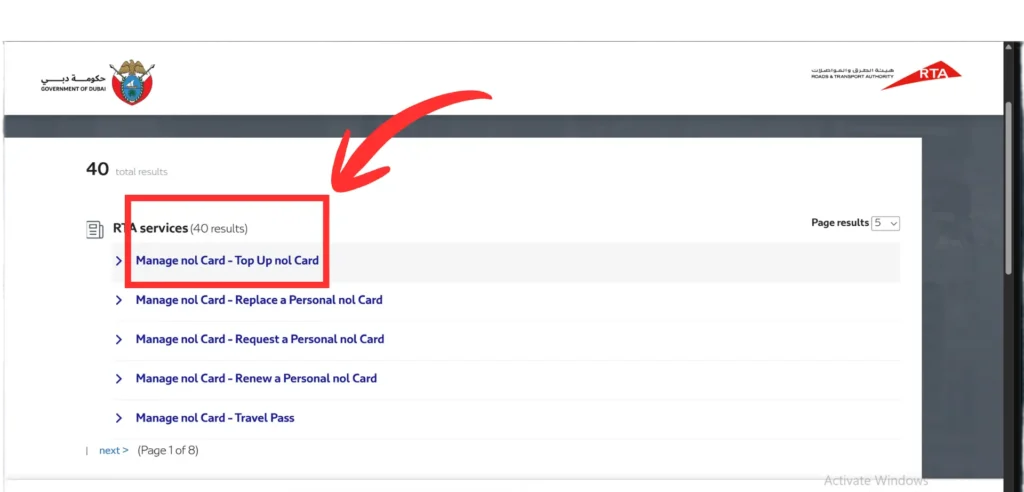
Step 2: Locate the Recharge Section
Once you’re on the homepage, simply scroll down to find the “Top Up NOL Card” section. This section is easily accessible, and it’s where you’ll enter your NOL Tag ID and choose the recharge amount.
- Scroll or click to open the recharge form.
- You’ll immediately see a box to input your NOL Tag ID.
- The page is designed for speed and simplicity, making it easy for first-time users as well.
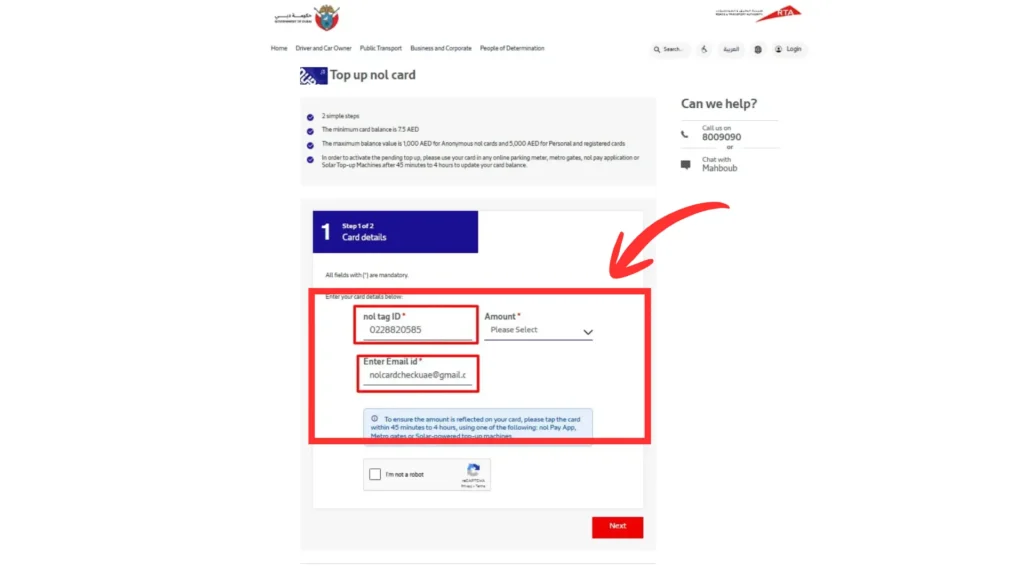
Step 3: Enter 10-Digit NOL Tag ID
The NOL Tag ID, located on the back of your card, is essential to connect your card to your account. Double-check the ID before entering it to avoid any errors that could interrupt the recharge process. If you use Nol Pay or S’hail to recharge nol card, and you tap the card a second time, the balance will be activated immediately after the second tap.
- Example: 934025XXXX
- No spaces: Ensure the ID is entered without spaces.
- Case-sensitive: Be careful to enter the Tag ID exactly as shown.
- Email required: Don’t forget to enter your email address for confirmation.
Check your Nol card balance now.
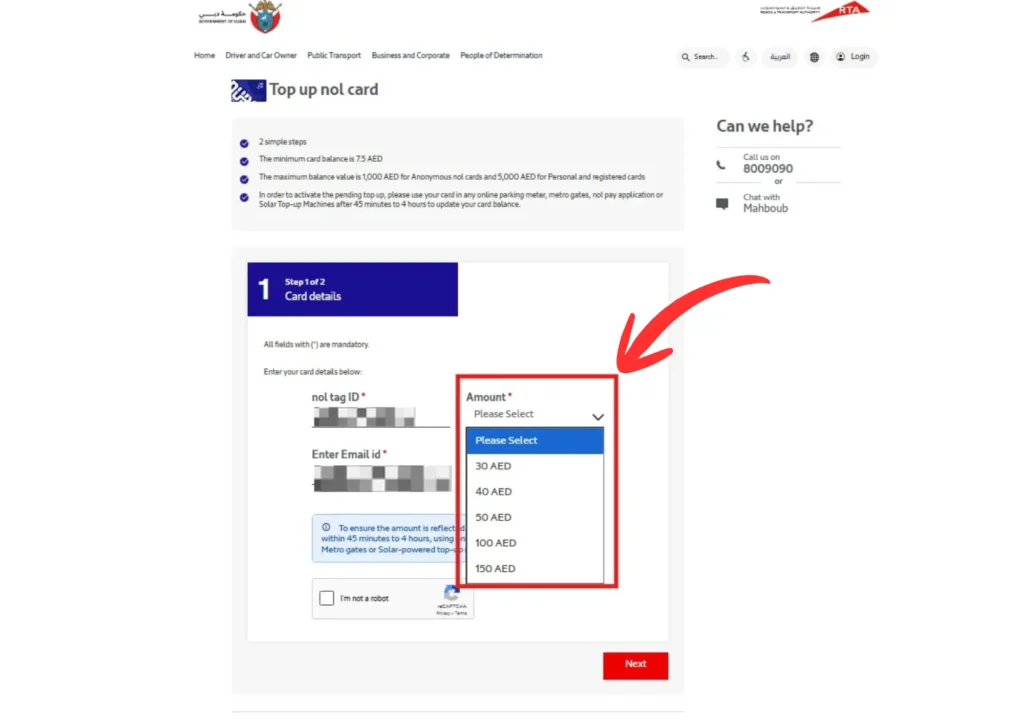
Step 4: Select Your Recharge Amount
Now, you’ll choose how much you want to top up on your card. You can select a standard amount or enter a custom amount based on your needs. Top-up amounts on expired or blocked cards cannot be activated. Always ensure your card is active before recharging.
- Available options: AED 30, 40, 50, 100, or 150.
- Custom value: If you prefer, you can enter a custom recharge amount.
- Minimum amount: AED 30 is the minimum amount allowed according to RTA policy.
- Flexibility: Great for short trips, weekly commuting, or even for tourists looking for a one-time recharge.
Step 5: Confirm and Pay Securely
- Enter your payment details: On the secure checkout page, enter your debit or credit card details.
- Security guaranteed: The payment page uses 256-bit SSL encryption for secure transactions.
- Payment confirmation: Once the transaction is complete, you’ll get a confirmation message.
- Recharge updates: Your balance will reflect in the RTA system within a few hours.
If you’ve topped up using online channels, you must activate the balance within 180 days from the transaction date, using any available activation channels (metro gates, parking meters, or apps).
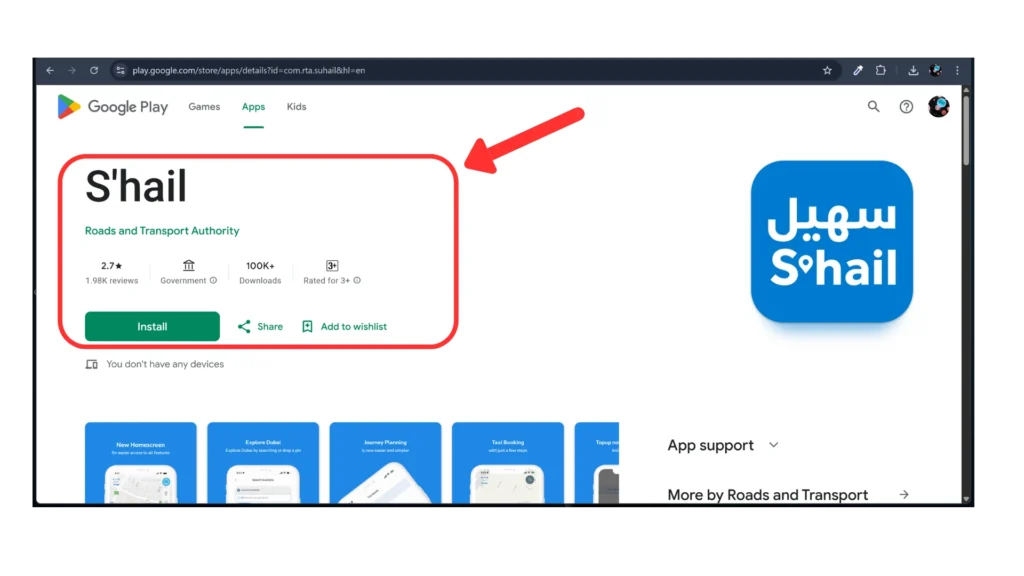
How to Add Balance on Nol card through S’hail App?
- Step 1: To recharge nol card, Open your phone’s app store and download the S’hail app. Once it is installed, log in with your account details or create a new one.
- Step 2: On the home screen, tap “Top Up Nol Card.”
- Step 3: Add your NOL card by typing the card number. If your phone supports it, you can also place the card near your phone to scan it directly.
- Step 4: Select how much money you want to add, then confirm and make the payment using your preferred method.
You can also check public transport timings, plan your metro or bus journey, and even book a taxi without switching apps.
After recharging, many users like to review their Nol Card balance history and recent transactions to track spending.
What is the Minimum and Maximum NOL Card Balance?
The minimum balance to recharge nol card is AED 7.50. Whereas the maximum balance varies depending on your card type, with registered NOL cards allowing up to AED 5,000. This flexibility helps you manage your travel funds according to your needs. Keep in mind that unregistered or anonymous cards may have a lower maximum limit.
How and Where to Activate Your NOL Card Outstanding Balance?
You can activate your NOL card’s outstanding balance at two convenient locations:
Parking Machines Connected to the Internet: These machines are equipped to handle NOL card balance activation.
Metro Gates: You can also activate your balance directly at metro gates in Dubai.
How to Activate Your NOL Card:
- Insert your NOL card into the designated slot at the selected location.
- Follow the on-screen instructions to start the balance activation process.
- Once the process completed, your outstanding balance will be activated.
Activation Time:
The balance may take some time to fully reflect on your card. Typically, it takes 45 minutes to 4 hours, so make sure to activate it well before you plan to travel.
Reload your Nol Card through Nol Pay App
- Install the App – To recharge Nol card, Download the Nol Pay or RTA Dubai app on your mobile device.
- Sign In – Use your UAE Pass to securely log in.
- Select Top-Up – Choose the top-up option in the app.
- Place Your Card – Hold your physical Nol card close to your phone, so the app can detect it (skip this step if you have a virtual card).
- Choose Amount – Enter the amount you want to add to your card.
- Complete Payment – Pay using your debit or credit card.
- Instant Credit – The top-up amount is added instantly to your account, so you can travel immediately.
You can schedule automatic top ups through the app to ensure your Nol card balance never runs low.
Recharge Nol Card through Mehboub Chatbot
You can start by opening the RTA website, the RTA Dubai app, or the S’hail app and go to “Chat with Mehboub.” Fill in your contact details as requested. In the chat box, type “Top Up NOL Card”.
Then enter your NOL Tag ID and select a top-up amount between AED 30 and AED 150. Complete the payment using DubaiPay. Finally, activate your balance by tapping your NOL card at metro stations, bus stops, or parking areas.
Check Nol card balance with number.
Different Ways to Add Balance on Your NOL Card
Topping up your Nol card is easy and can be done at several places across Dubai. Whether at a metro station, bus stop, or local store, there’s always a convenient option nearby. Using these locations ensures you never run out of credit and can always recharge Nol card on the go.
Nol Card Top-Up at Metro Ticket Offices
Go to metro stations, hand your Nol card to the station agent and request him to top-up. Make the payment, and your balance will be updated instantly.
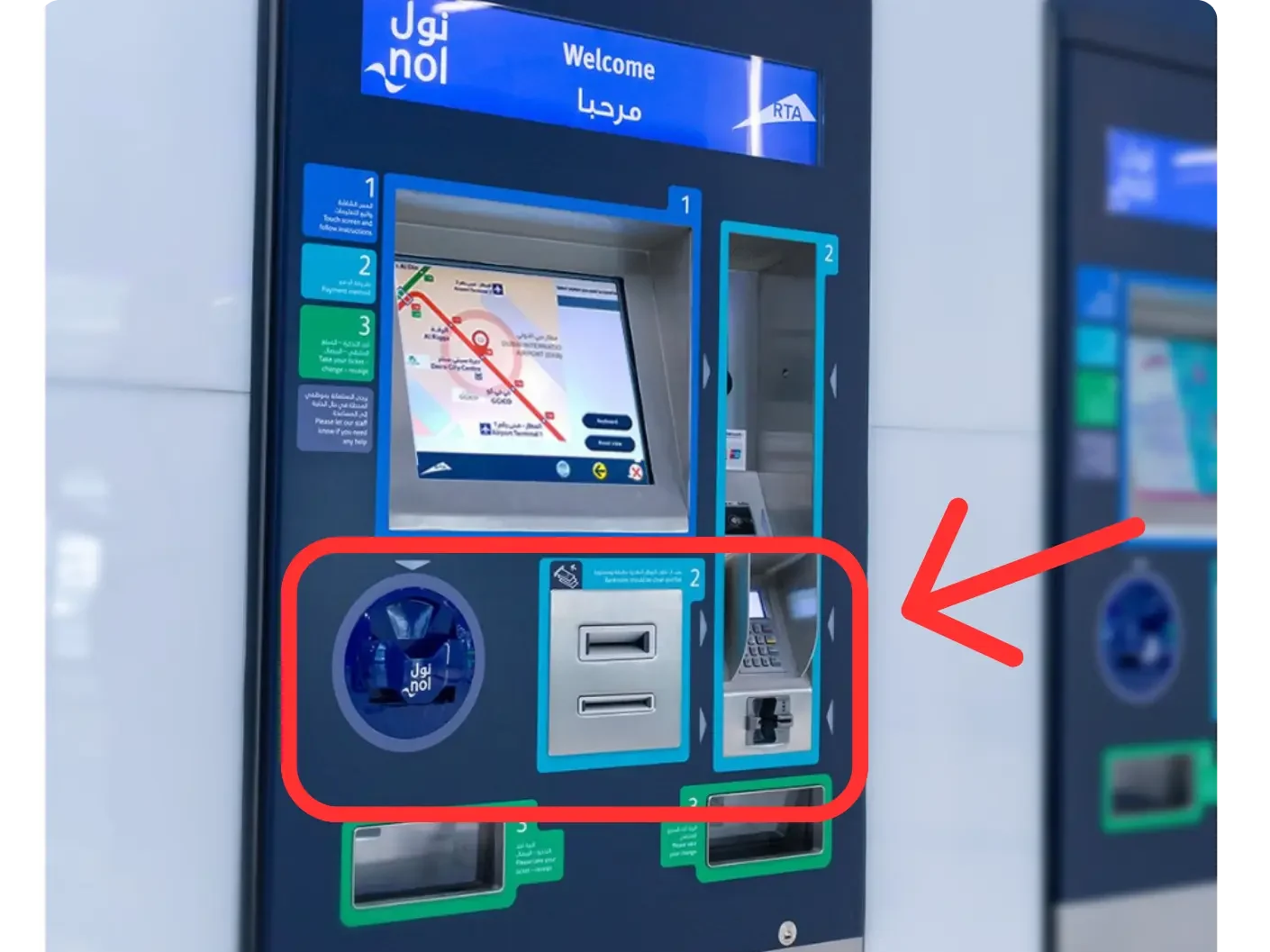
Nol Card Recharge through Ticket Vending Machines
Place your Nol card on the card reader, select the top-up option, and enter the amount you want. Keep the card on the reader for at least six seconds to receive instant credit.
Smart Top-Up Solar Machines at Bus Stops
Place your Nol card on the reader, choose the top up option, enter the amount, and pay in cash. Your balance will be topped up instantly.
Nol Card Recharge at Stores
You can also recharge your Nol card at local stores like ZOOM, standalone shops, and ENOC/EPPCO outlets. This service is available at about 50 locations across Dubai. These physical locations provide an alternative way to recharge Nol card without waiting in line.
FAQs
Ending Lines
Managing your trips in Dubai is easy when you regularly recharge Nol card. Whether online, via apps, or at stations, keeping your RTA card topped up ensures smooth travel on metro, buses, and trams. Choose the method that suits you and stay ready for every journey.